Help Center / Billing & Subscriptions
Managing Subscriptions
View, modify, or cancel subscriptions
Manage your PodRewind subscriptions from the Settings page.
Viewing Subscriptions
To view your subscriptions:
- Go to Settings → Billing
- See all active subscriptions
- View billing history
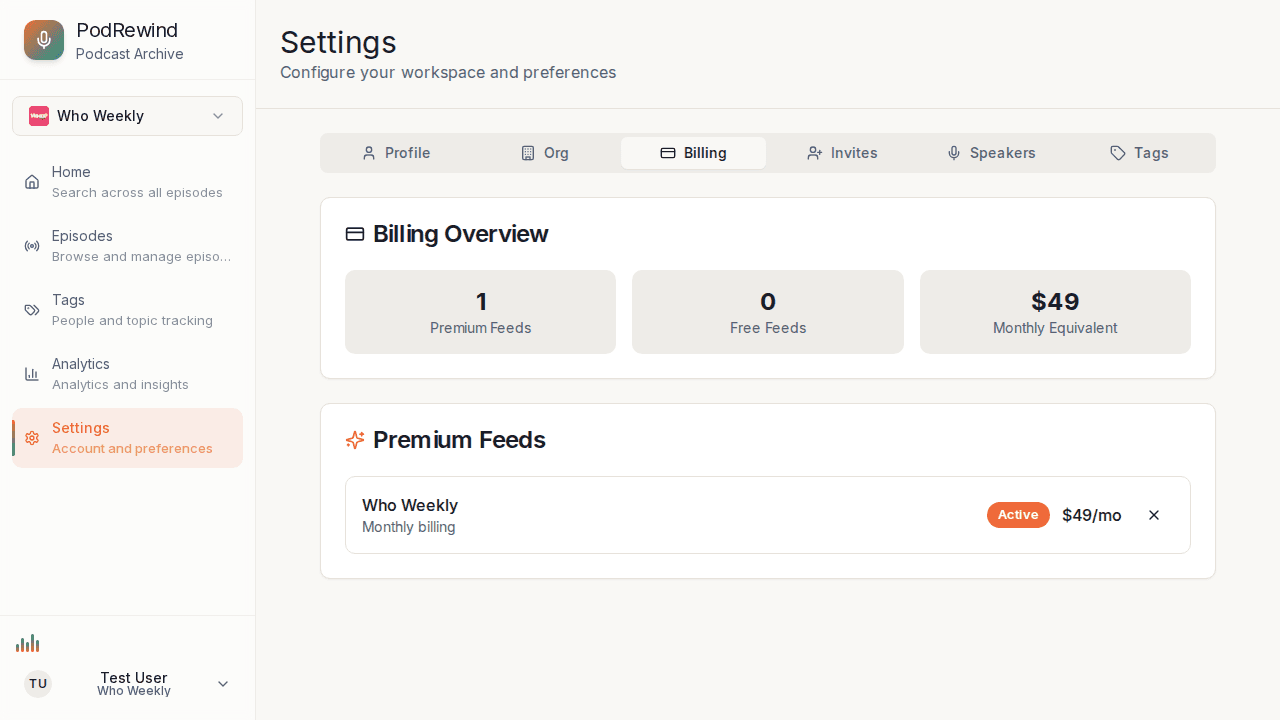
Subscription Details
For each subscription you can see:
- Podcast feed name
- Billing frequency (monthly/annual)
- Status (Active or scheduled cancellation date)
- Amount
Updating Payment Method
To update your payment:
- Click Manage Billing to open the Stripe billing portal
- Select Payment methods
- Add a new card or update existing
- Set as default if needed
Canceling Subscriptions
To cancel a subscription:
- Find the subscription
- Click Cancel Subscription
- Confirm cancellation
- Access continues until period ends
After Cancellation
When a subscription ends:
- Access reverts to the free tier (5 episodes per feed)
- Your transcripts aren't deleted—upgrade again to restore full access
- Re-upgrade anytime with no re-processing required
Billing Support
For billing questions:
- Email: support@podrewind.com
- Response within 24 hours
What's Next?
- Understanding Pricing - Compare plans
- Free vs Paid Plans - Feature comparison